
Building an AI-Powered Camera Log with Ring, MQTT, and Obsidian
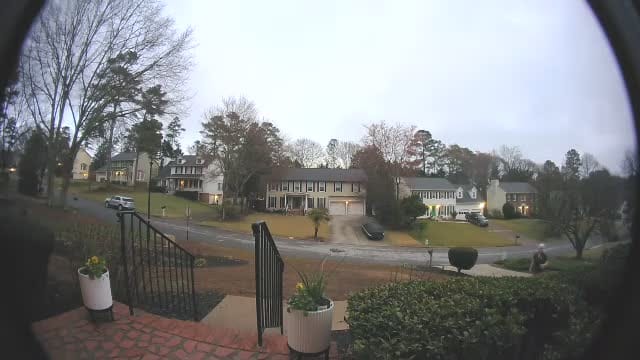
I've been tinkering with home automation for a while now, and one thing always bugged me: Ring captures motion events, sends a push notification that disappears into the void, and that's it. No searchable history. No visual log. Just a timeline buried in an app.
So I built something better — a pipeline that watches for camera events, grabs snapshots the moment they happen, and logs everything into an Obsidian vault with embedded images. Here's how it works.
The Architecture
The setup runs on a Raspberry Pi that's already handling Homebridge and an OpenClaw AI agent. Three pieces work together:
1. MQTT Listener — A persistent Python service subscribed to homebridge/from/# that catches every event Homebridge publishes. Motion detected on the front door? Doorbell pressed? It all gets written to a JSONL event log with timestamps and device names.
2. Ring Watcher — Another persistent service that polls the Ring API every 30 seconds. When it spots a new motion or doorbell event, it immediately grabs a camera snapshot via the Homebridge MCP bridge before Ring expires it. The snapshot (a JPEG) and event metadata (JSON) get saved to a local camera-events/ directory.
3. Obsidian Log Generator — A Python script on a 30-minute cron that reads all the event JSONs, copies snapshots into the Obsidian vault's attachments folder, and generates a clean markdown log grouped by date.
The whole thing is glued together with systemd services and a single cron job. No cloud dependencies beyond Ring's own API.
What the Log Looks Like
The generated Camera Log.md starts with a summary table:
| Date | Motion | Doorbell | Total |
|---|---|---|---|
| 2026-03-09 | 12 | 0 | 12 |
| 2026-03-08 | 18 | 0 | 20 |
| 2026-03-07 | 46 | 0 | 46 |
Then each event gets its own entry with the timestamp, device name, and an embedded snapshot:
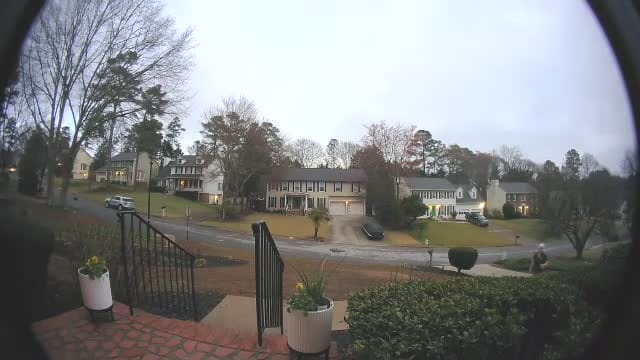
A typical front door motion capture — grabbed automatically the moment Ring detected movement.
The Obsidian ![[image]] embeds mean you can scroll through your camera history like a visual journal. Way more useful than digging through the Ring app.
The Snapshot Trick
The key insight is grabbing the snapshot immediately. Ring's API gives you a narrow window to pull camera images after an event. Wait too long and you get nothing. The watcher service polls every 30 seconds, and the moment it sees a new event, it calls the Homebridge camera bridge to capture what the camera sees right then.
The snapshots are small JPEGs (20-35KB each), so even weeks of captures don't eat much disk.
Auto-Sync
The log generator doesn't just write markdown — it also commits and pushes to a Git repo after each run. That means the Obsidian vault stays in sync across devices automatically. Open Obsidian on your phone or laptop, and the latest camera events are already there.
*/30 * * * * python3 scripts/generate-camera-log.py
One cron line. That's the entire deployment for the sync piece.
What I'd Add Next
- AI image analysis — Have the agent describe what it sees in each snapshot (person? package? animal?) and tag events accordingly
- Doorbell alerts — The infrastructure for urgent notifications is already there, just needs the delivery piece wired up
- Time-lapse view — Stitch a day's snapshots into a quick animation
- Retention policy — Auto-archive events older than 30 days to keep the vault snappy
The Stack
- Raspberry Pi 5 (4GB)
- Ring cameras (via Ring API)
- Homebridge + homebridge-ring (camera bridge)
- MQTT (Mosquitto)
- Python 3 (no external deps beyond
httpxandpaho-mqtt) - Obsidian (synced via Git)
- OpenClaw AI agent (the thing that helped build all of this)
The whole pipeline — from motion detection to a searchable, visual log in Obsidian — runs quietly in the background on a $60 computer. Sometimes the best automations are the ones you forget are running.